
Energy Efficiency and Capacity Milestones
Exact achievement milestones plus a concise energy troubleshooting checklist.
Table of contents
Energy efficiency and energy capacity are different targets. Efficiency measures how effectively the grid uses or produces energy; capacity measures how much energy it can hold. The achievement inventory provides five exact milestones for each.
Efficiency milestones
| Tier | Required efficiency |
|---|---|
| ENERGY EFFICIENCY I | 100% |
| ENERGY EFFICIENCY II | 150% |
| ENERGY EFFICIENCY III | 200% |
| ENERGY EFFICIENCY IV | 250% |
| ENERGY EFFICIENCY V | 300% or more |
Capacity milestones
| Tier | Required capacity |
|---|---|
| ENERGY CAPACITY I | 50,000 |
| ENERGY CAPACITY II | 200,000 |
| ENERGY CAPACITY III | 1,000,000 |
| ENERGY CAPACITY IV | 10,000,000 |
| ENERGY CAPACITY V | 50,000,000 |
Diagnose the live grid
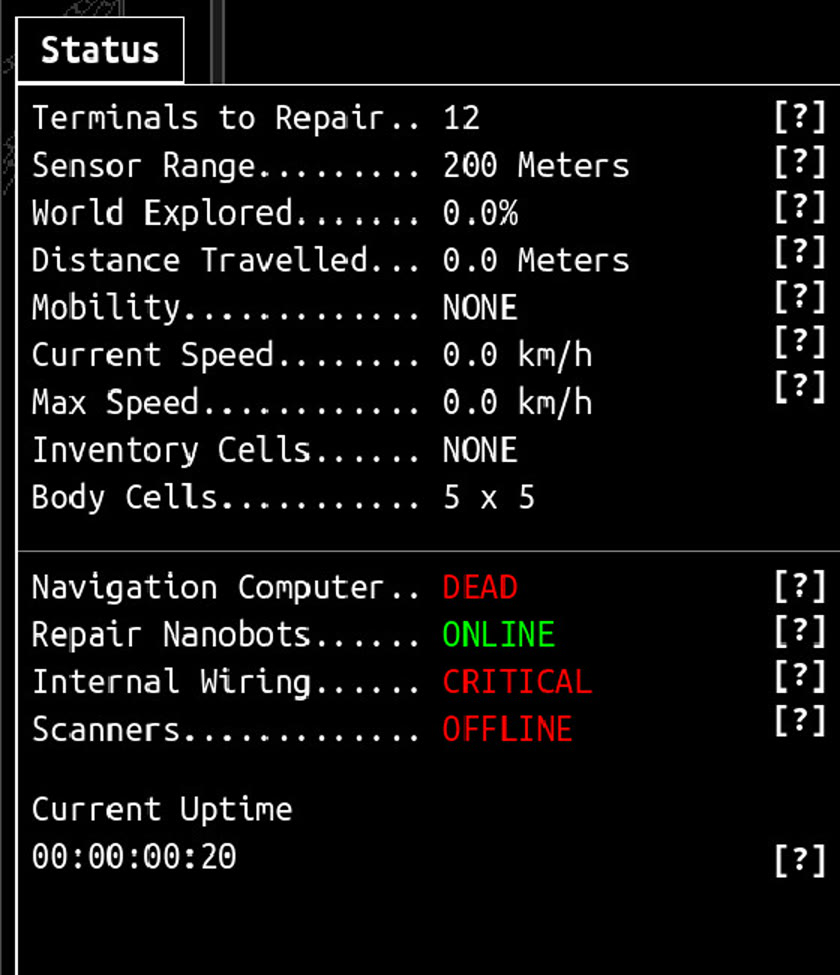
The Status and energy readouts matter more than the next achievement label.
If current energy is falling:
- disconnect or idle one active consumer;
- watch whether the per-second rate recovers;
- verify that a generator has fuel and a valid grid connection;
- check that storage is not preventing production;
- add the consumer back only after the baseline is stable.
Harvesters, Salvagers, and Refiners can consume no energy while idle and draw energy only while working. Test a full work cycle instead of trusting an idle snapshot.
When energy stops growing
Use the exact readout to separate four different states:
| What you see | Likely category | Next check |
|---|---|---|
Energy stops at 9.9999999999998 |
The identified floating-point capacity bug, fixed in v1.0.7 | Confirm the running version before changing batteries or the grid |
| Current energy equals a clean capacity value | A real storage limit may be reached | Compare current energy with visible capacity and add storage only if the limit matches |
| Energy falls while work runs | Active demand exceeds current production | Compare the per-second rate before and during one work cycle |
| Energy does not move and the rate is zero | Production and demand may both be idle or disconnected | Start one known job and check its source, destination, and powered path |
The old 9.9999999999998 signature is not evidence of a best-layout problem.
On v1.0.7 or later, a repeat should be recorded as a current regression with
the version, current/capacity readouts, active screen, and last energy upgrade.
Do not spend a System Reset or replace several components before confirming
that signature.
Prove whether capacity or rate is the bottleneck
- Write down current energy, visible capacity, and the per-second rate.
- Observe the grid while every optional worker is idle.
- Start one Harvester, Salvager, Refiner, or other known consumer.
- Compare the new rate and watch one complete work cycle.
- Stop that job and confirm whether the baseline returns.
- Add capacity only when current energy is actually reaching the displayed limit; add production or reduce demand when the active rate is negative.
If the game freezes or crashes rather than merely stopping energy growth, use Crashes, Lag, and Performance Troubleshooting.
For a component-specific failure, open inventory connections. For the complete list, see all achievements.
Related guides
All IDLE_DIRECTIVE Achievements
Look up all 43 achievement names, the 42 public requirements, and the one honestly labeled hidden requirement.
Read guideInventory Connections and Grid Troubleshooting
Check component ports, orientation, timing, storage, and energy when an item looks connected but does not run.
Read guideIDLE_DIRECTIVE Beginner Guide
Build a stable energy loop, read the Status panel, repair core systems, and reach the Map without wasting grid space.
Read guideCrashes, Lag, and Performance Troubleshooting
Check current crash fixes, isolate Map, Augment, energy-text, Actions, and late-game lag symptoms, and protect save recovery options.
Read guide